



Flutter has emerged as a powerful framework for building cross-platform mobile applications with a single codebase. Its hot-reload feature, expressive UI components, and seamless integration with native APIs make it a favorite among developers aiming to create stunning, high-performance apps. In this blog, I will walk you through my complete workflow for building professional Flutter apps, from planning to deployment.
Every successful app begins with a clear plan. Before writing a single line of code, I focus on understanding the project goals, target audience, and app functionality. Wireframes and mockups help visualize the user interface and flow.
A smooth development process starts with a proper environment setup. I install Flutter SDK, Android Studio, and VS Code with recommended extensions. Ensuring the emulator and device compatibility is crucial for testing across platforms.
The development phase is where the app takes shape. I follow a component-based architecture, creating reusable widgets to maintain consistency and simplify code maintenance. Using Flutter's state management solutions like Provider, Riverpod, or Bloc ensures smooth and predictable behavior.
Testing is essential to ensure a bug-free experience. I write unit tests for core functionality and widget tests for UI components. Flutter's hot reload speeds up debugging, allowing for rapid iteration and improvement.
Once the app passes testing, deployment is the next step. Publishing to Google Play and the App Store requires proper configuration and compliance with platform guidelines. Post-launch, I monitor user feedback, fix bugs, and release updates to keep the app running smoothly.
Efficient development relies on using the right tools. Here are my favorites for Flutter development:
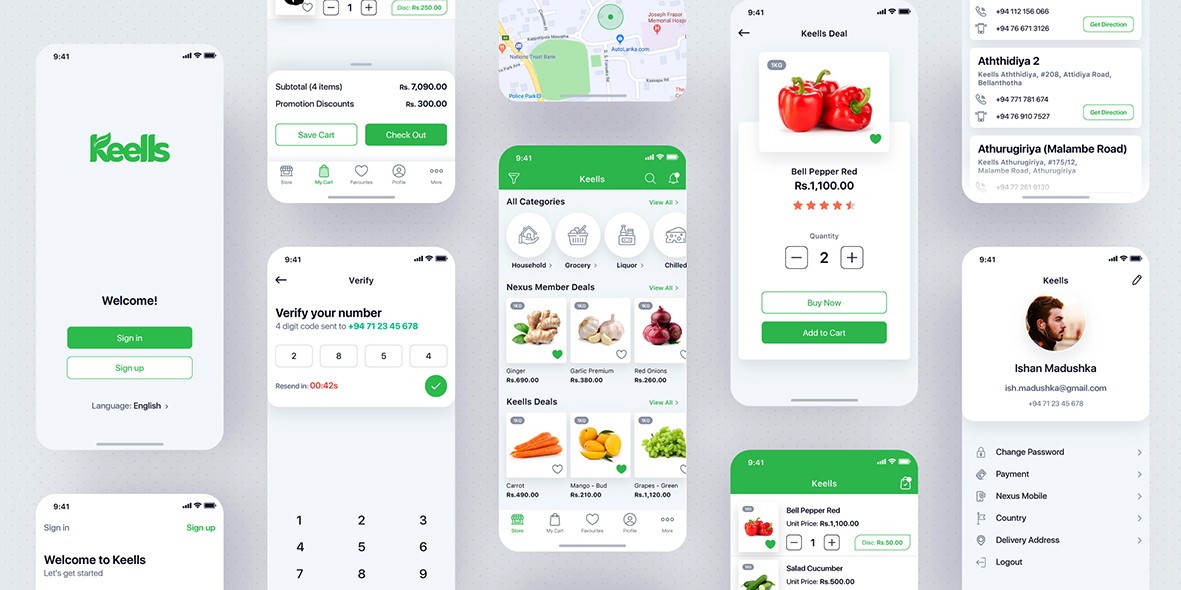
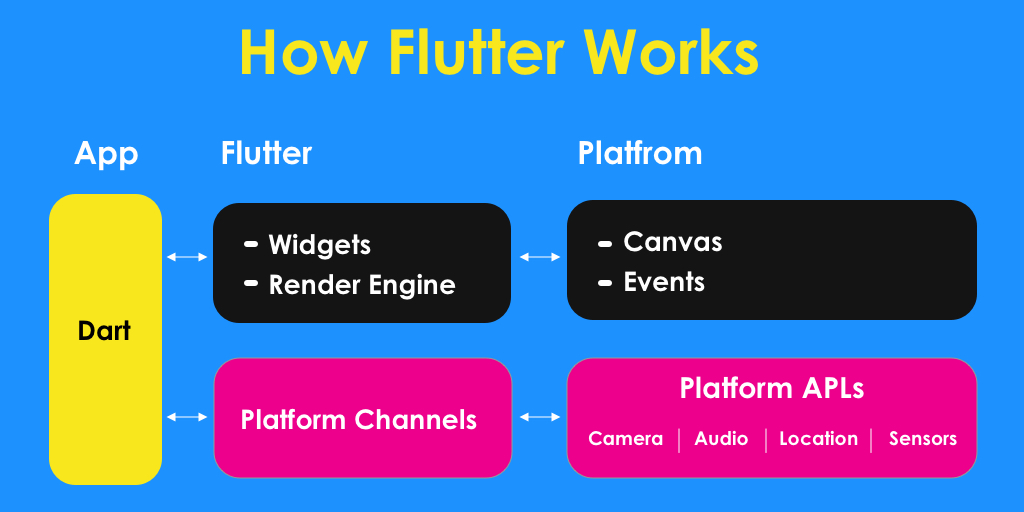
Flutter has revolutionized mobile app development, allowing developers to create beautiful, high-performance apps with a single codebase. By following a structured workflow—from planning to deployment—you can build stunning apps efficiently and maintain them with ease. Whether you're a beginner or an experienced developer, mastering Flutter opens doors to innovative mobile solutions.